
Note: The watermark can not be removed from clips retroactively after they have been recorded with the watermark.
In order to remove the Outplayed watermark from your clips please go to the Outplayed Capture settings and deselect the "Add watermark to captured media" setting:
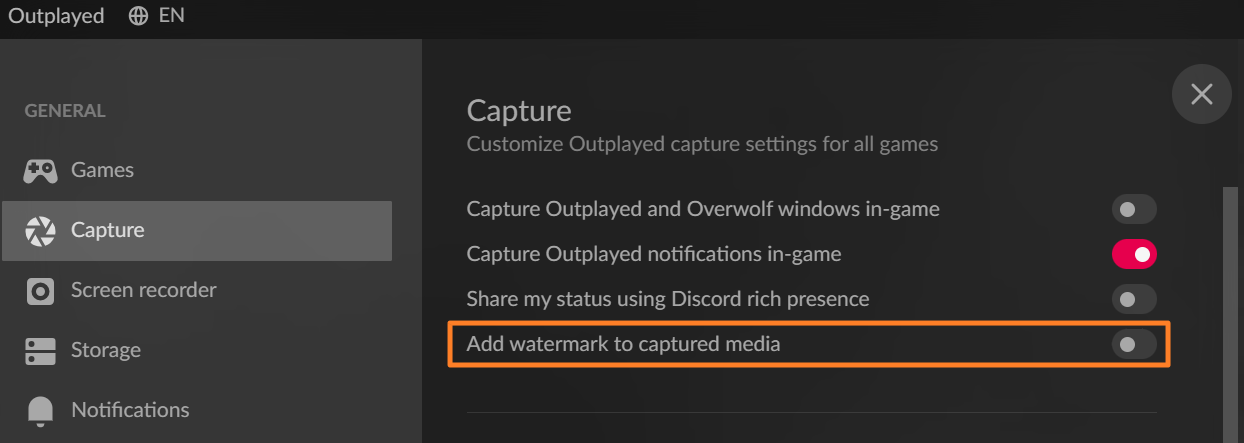
Make sure to fully relaunch Outplayed to save your settings!
If you would like to change or fully remove the watermark from all future Outplayed recordings including exported Outplayed Editor projects please consider subscribing to Outplayed premium.