
You can stop Outplayed from recording a certain game using these steps:
1. Go to the Outplayed setting, hover over the game name under MY GAMES and click on the X button next to its name:
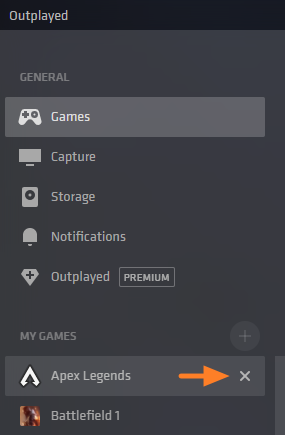
2. Go to the Outplayed settings and in the Games tab find the game and click on it to disable it.
You can always enable the game again by going to the Outplayed settings and re-adding the game in the Games tab.