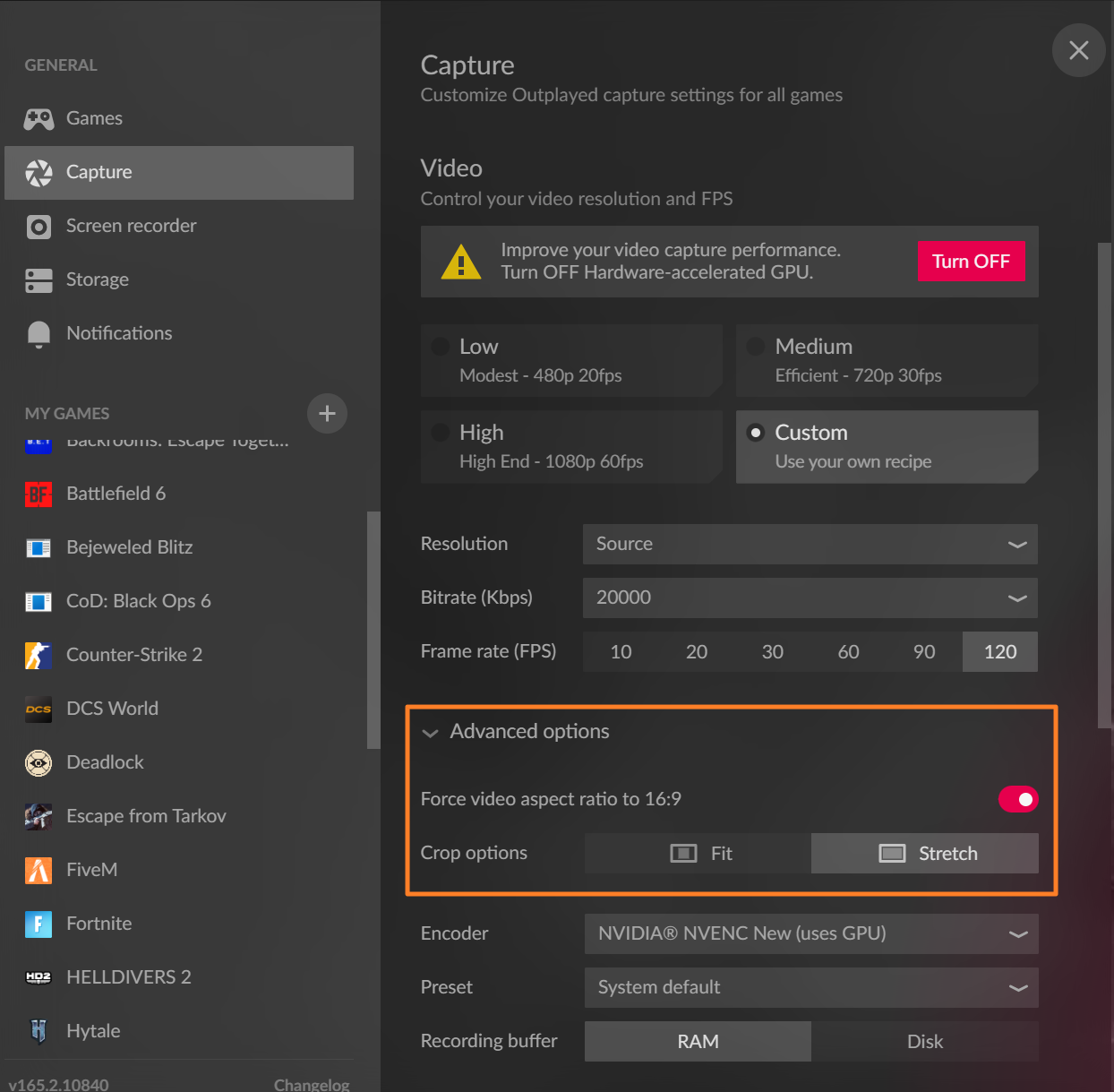
Go to the Outplayed Capture settings, click on "Advanced Options" and enable "Force video aspect ratio to 16:9 (stretch if needed)"
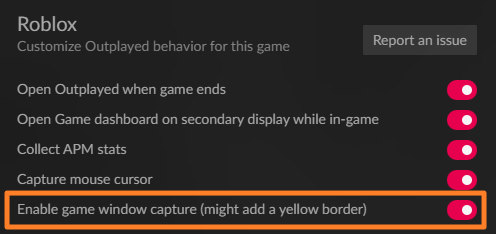
If your game has the option "Enable game window capture" available please make sure that it is enabled:

You'll receive an email with your ticket details, and our support will contact you within 48-72 hours.
Modified on: Wed, 25 Nov, 2026 at 3:37 PM
Go to the Outplayed Capture settings, click on "Advanced Options" and enable "Force video aspect ratio to 16:9 (stretch if needed)"
If your game has the option "Enable game window capture" available please make sure that it is enabled:
How can we help