
This setting can be found under the Advanced options in the Outplayed Capture settings:
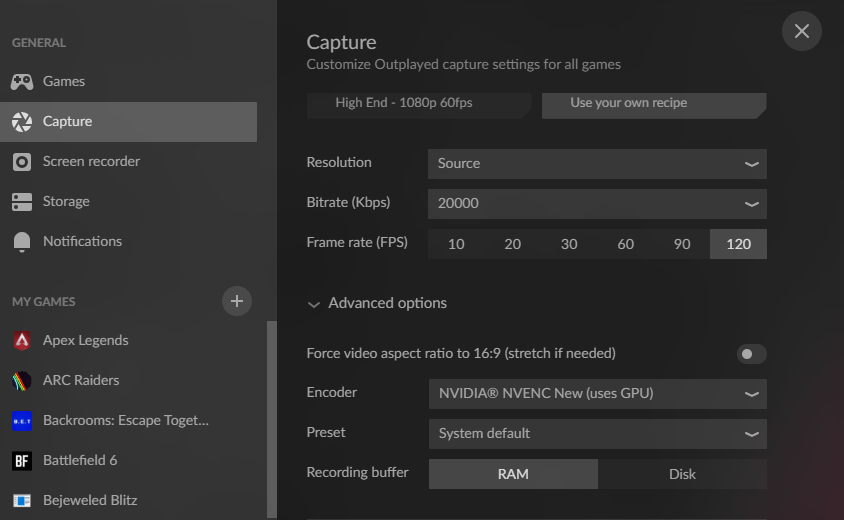
By default, Outplayed uses a RAM-based recording buffer, which significantly improves performance and stability. Recording to RAM is faster than writing directly to your hard drive, resulting in smoother gameplay, fewer stutters and more reliable clip capture, especially during intense moments.
If you prefer the previous behavior, you can switch the buffer back to Disk in the Advanced Capture Settings.
Disk-based recording writes data directly to your storage drive, which may be useful if you’re limited on available RAM, but it can be slower and more susceptible to performance drops depending on disk speed.
For most users, we strongly recommend keeping the RAM buffer enabled for the best overall experience.