
If you're using a SteelSeries Arctis or HyperX headset with chat/game sound balance and your recordings only capture your voice and game sounds, but not your friends on Discord, here's how to fix it:
These headsets use two separate audio channels (one for game, one for chat), but Overwolf can only record one channel at a time.
To make sure your friends' voices are recorded:
- Open Discord Settings.
- Go to "Voice & Video".
- Under "Output Device", select:
- "Arctis 7 Game" (for SteelSeries users) or "HyperX [Model Name] Game" (for HyperX users)
- Restart the computer and try recording again.
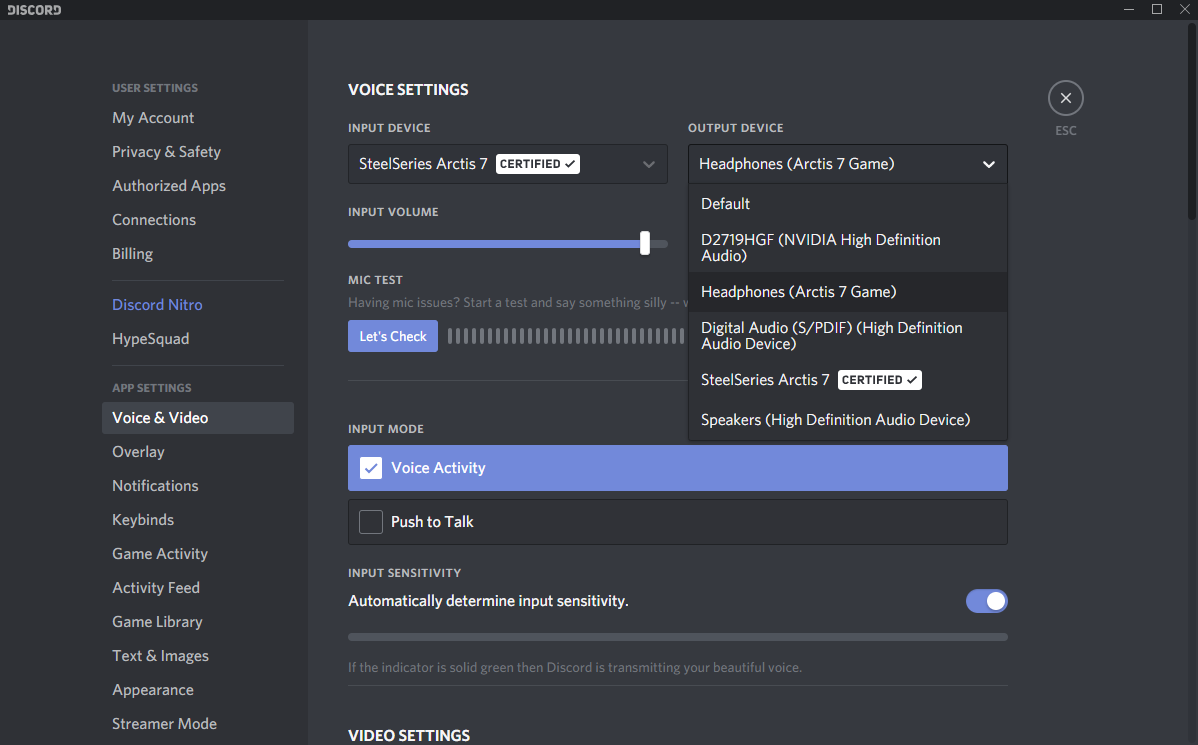
This will route all audio through the game channel so Overwolf can capture it properly.