
If your recordings appear brighter than what you see while playing, try the following:
Check if HDR is enabled on your system or monitor. If it is, turn it off.
Restart your computer after disabling HDR to apply the changes.
If you're using an AMD graphics card:
Open your AMD Radeon Settings
Make sure “10-Bit Pixel Format” is turned off
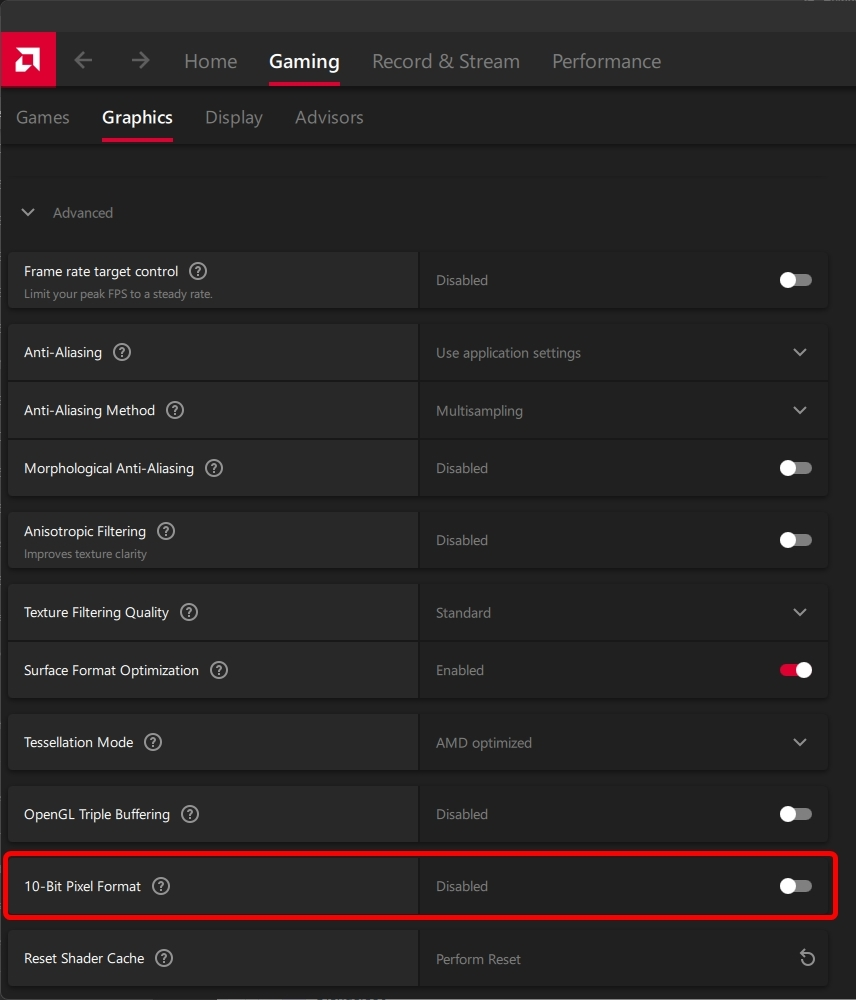
Restart your PC again after making the change
These steps should help your recordings match the actual in-game brightness.