
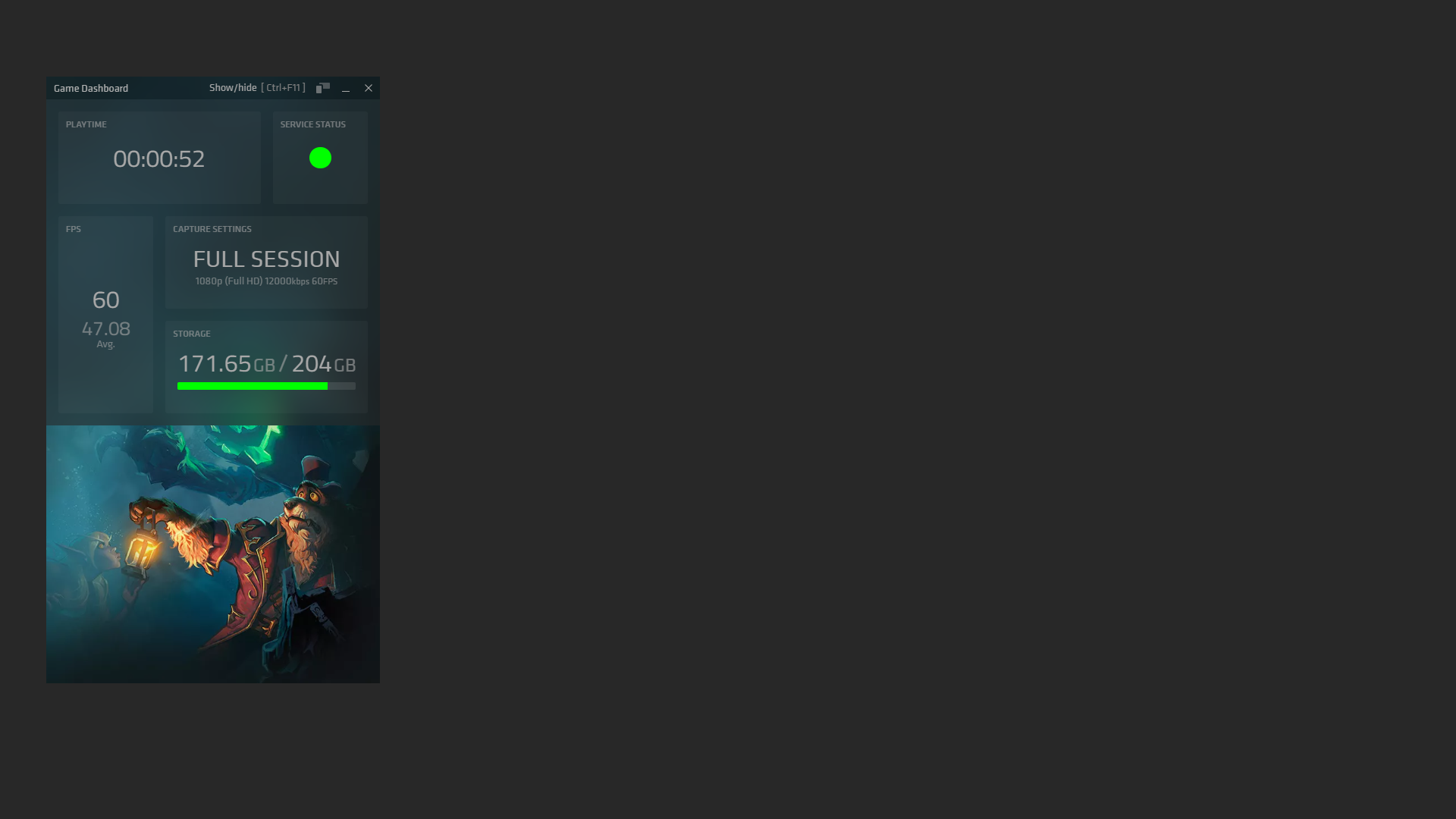
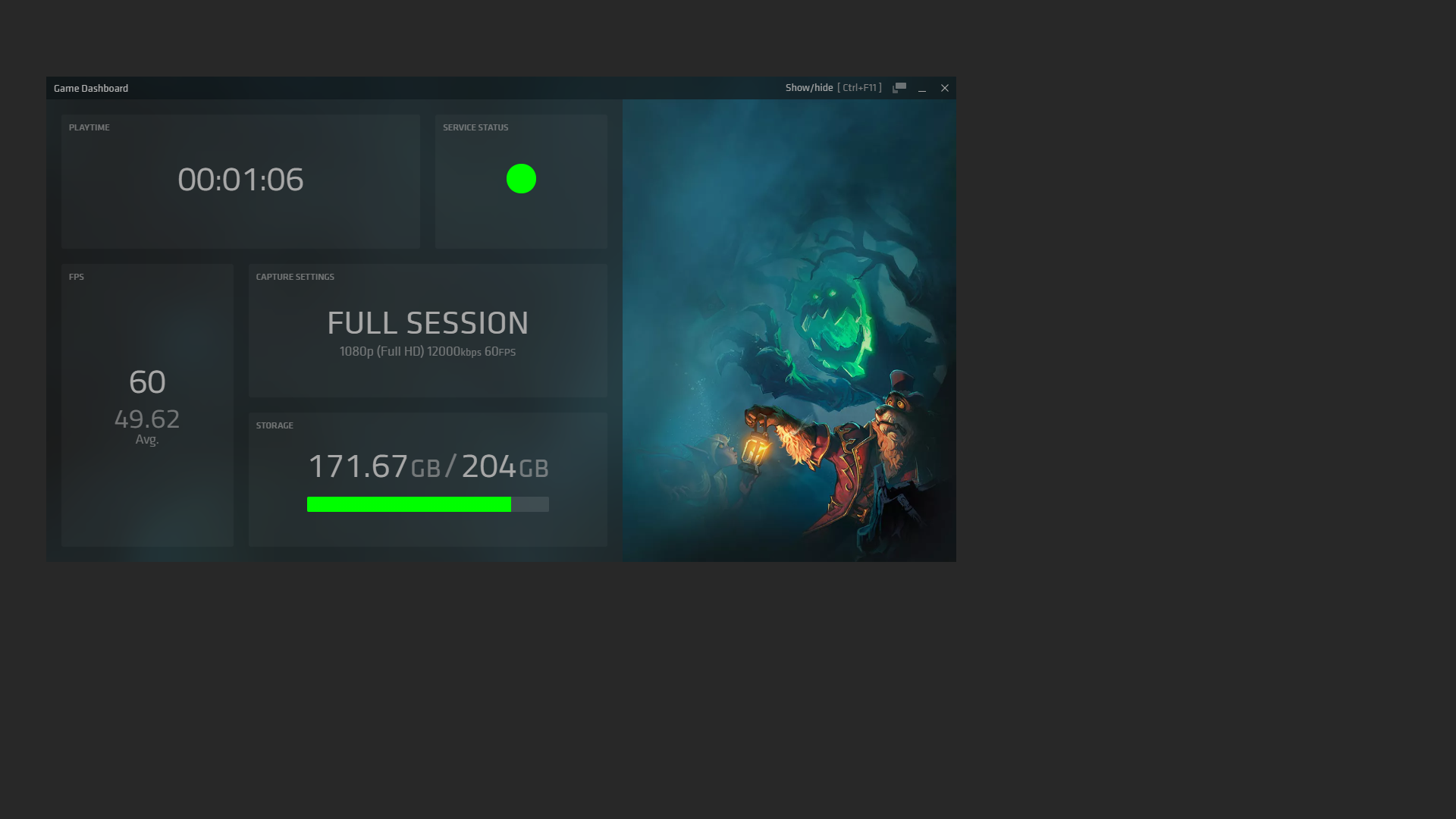
The Game dashboard is an in-game secondary screen with additional real time information about your recording and game such as: time played, game service status, used storage/total storage & capture settings (Capture mode, resolution, bitrate & FPS). You can also click on the hotkeys to directly trigger actions like saving a replay.
The Game dashboard in portrait mode:
The Game dashboard in landscape mode:
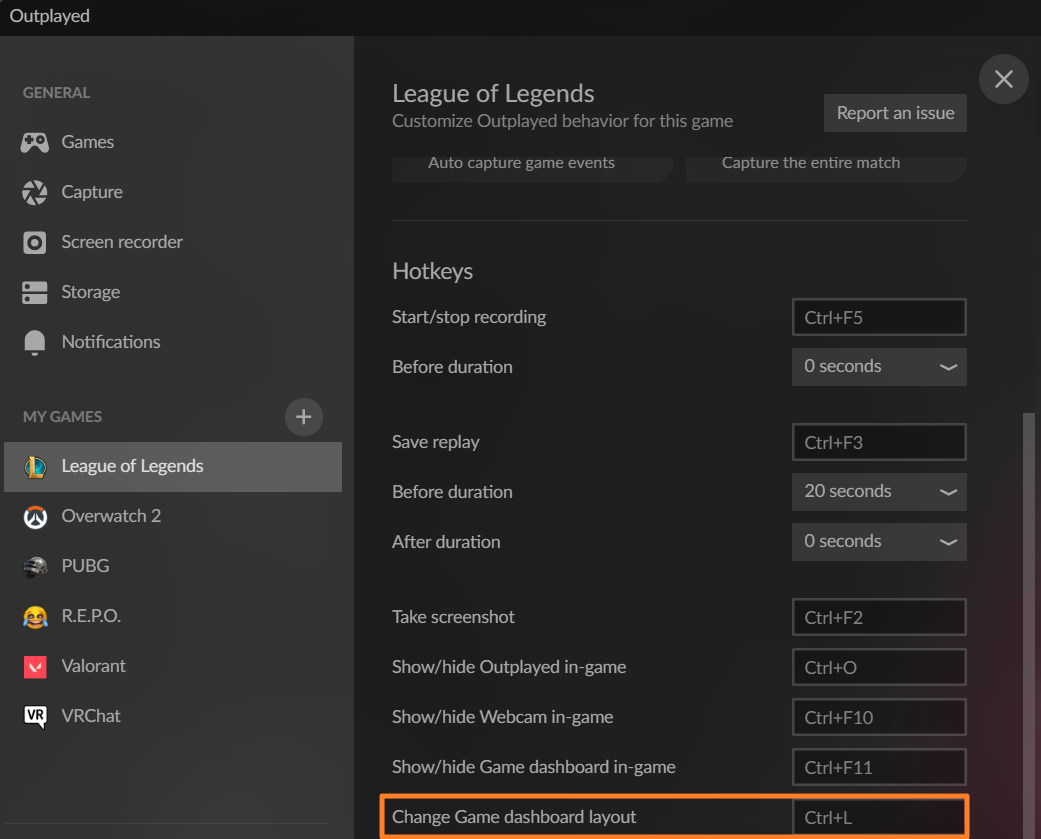
You can switch between portrait and landscape mode in the Outplayed game settings:
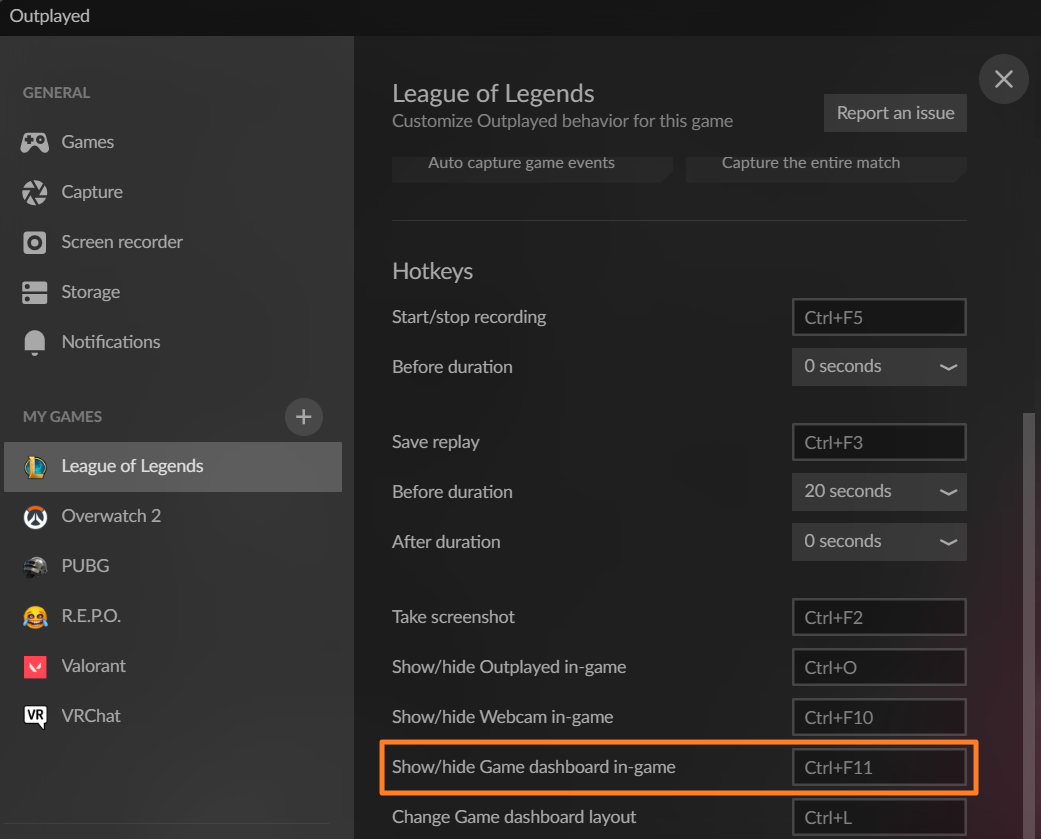
The Game dashboard will only appear while the game process is running. You can show/hide the Game dashboard by clicking on your set hotkeys. These will appear on the top of the Game dashboard and can be changed in Outplayed game settings:
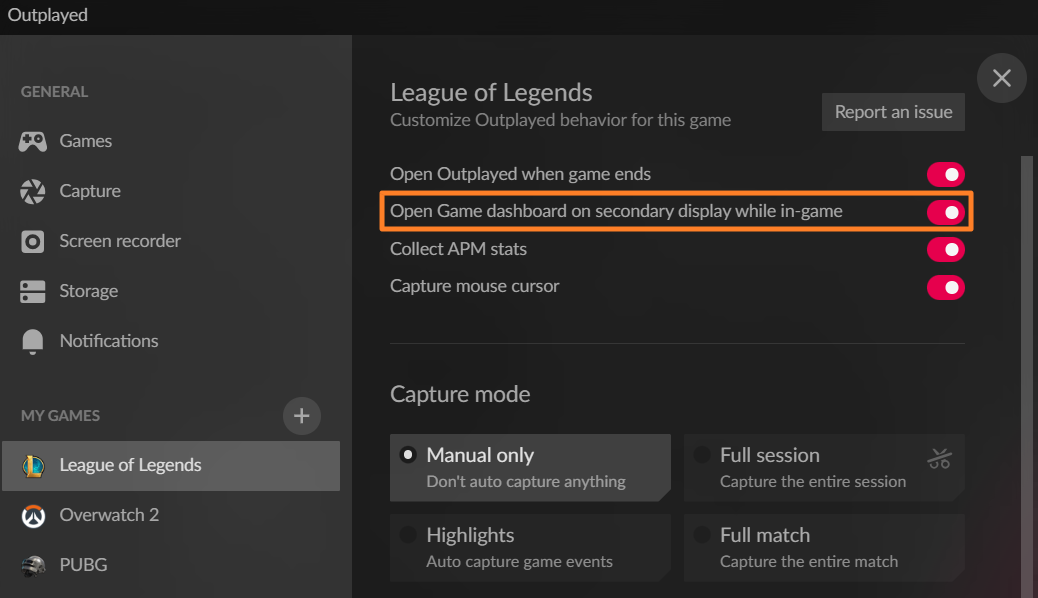
You can enable/disable the Game dashboard by clicking on your game in the Outplayed settings and toggling the Game dashboard option on/off:
The Games dashboard is not resizable and will be sized based on app orientation. Additionally, it is automatically disabled for games with no in-game overlay support.