
Simply click on one of the share options above your clip:
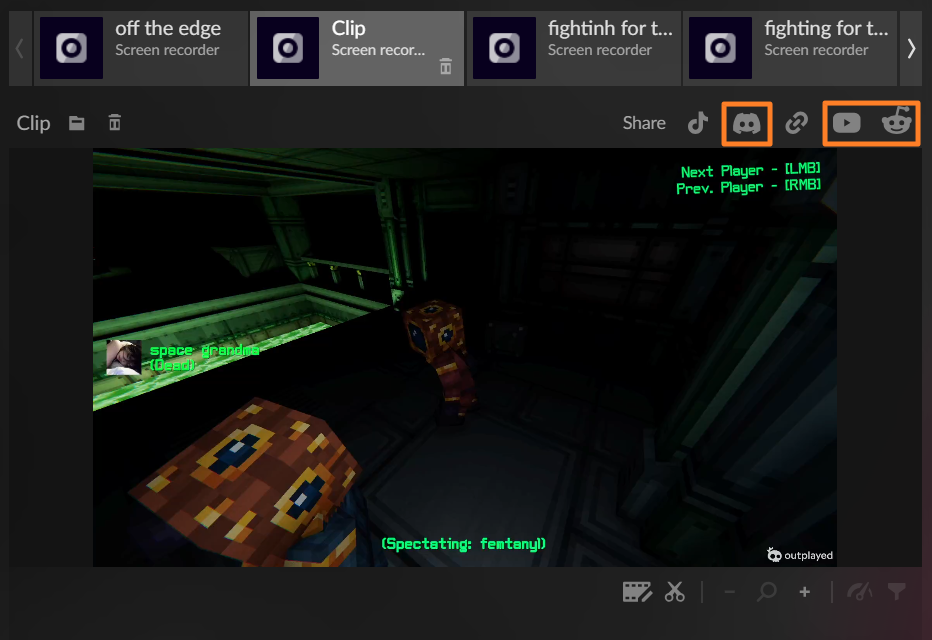
Please note that when sharing a clip directly to a platform (Such as Discord, YouTube, Reddit or Twitter/X.) You will be asked to authorize the connection with the platform. You may also be asked to log into your Overwolf account and your account on the platform in question.
The clip will be hosted on Outplayed.tv.
Please make note of the following limitations when sharing clips:
Discord:
- Size limit of 400MB
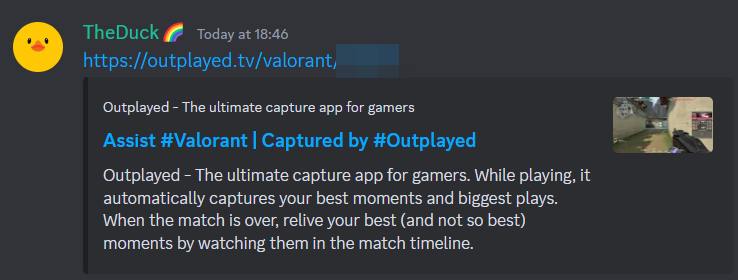
- Note that the Discord player does not support AV1. When sharing these clips they will appear as follows instead of showing the embedded Discord player:
Youtube:
- Size limit of 400MB
Reddit:
- Size limit of 400MB
Twitter/X:
- Due to changes to the Twitter/X API the option to share to Twitter/X has been disabled.
You can upload the clip to Outplayed.TV using the steps Here then manually share the clip URL on Twitter/X.
You can check the size of your recording file by finding the recording file using the steps here: Where to find the video files.
Then right click the file and select Properties to view the file size:

You can cancel an upload by clicking on the Cancel option in the Upload Manager:

Please note that uploads cannot be cancelled after the clip has been uploaded successfully.
To delete shared clips please follow the steps Here.